Plans and billing
Prefer to see it in action? Open the guided walkthrough — an animated, click-by-click tour you can play automatically or step through yourself.
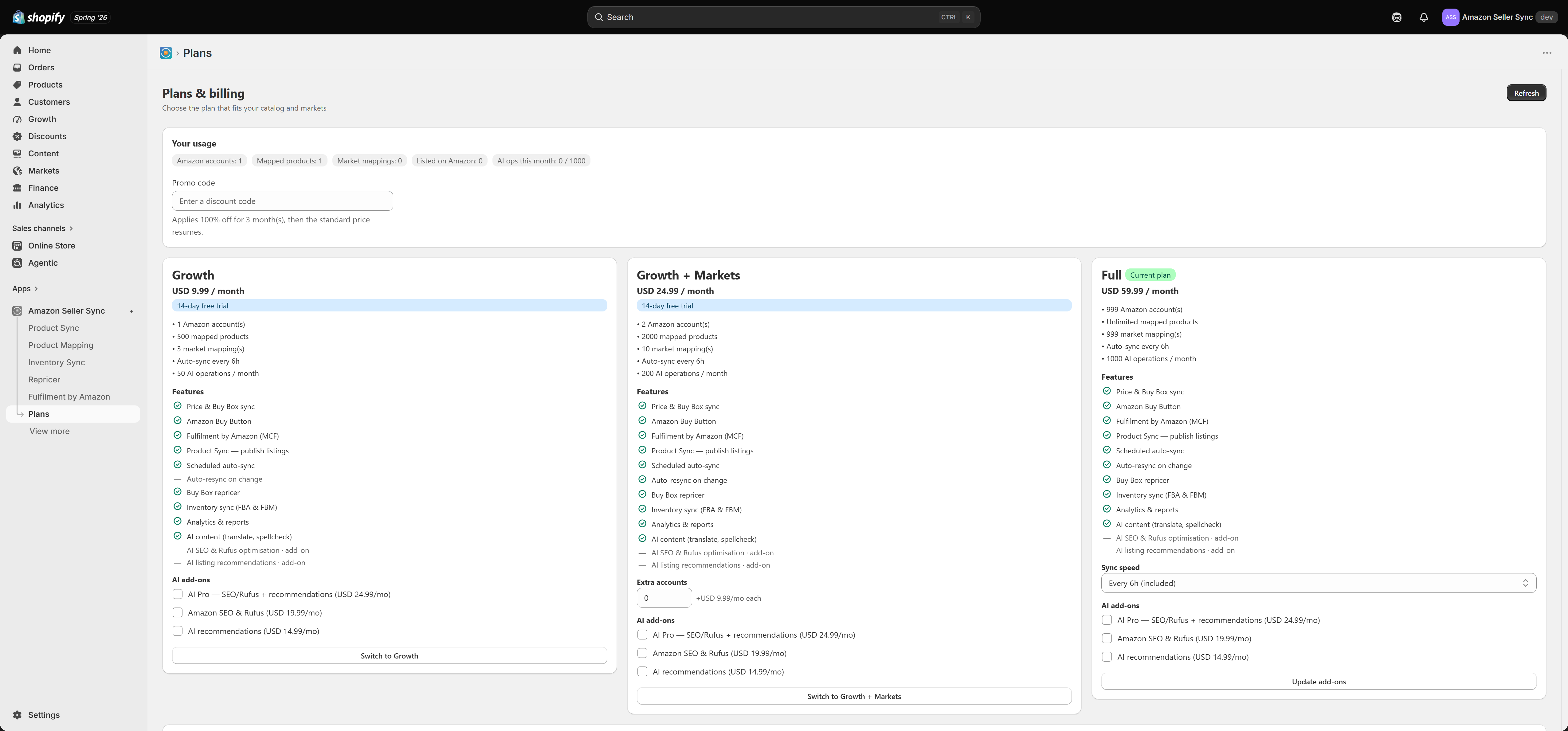
The Plans page is where you choose your plan, add optional add-ons, and manage billing. Each plan card lists exactly which features are included and which are paid add-ons, so you can see what you are getting at a glance. Paid plans include a 14-day free trial.
The plans
| Feature | Free | Growth | Growth + Markets | Full |
|---|---|---|---|---|
| Price and Buy Box sync | Yes | Yes | Yes | Yes |
| Amazon Buy Button | Yes | Yes | Yes | Yes |
| Fulfilment by Amazon (MCF) | Yes | Yes | Yes | Yes |
| Product Sync (publish listings) | — | Yes | Yes | Yes |
| Scheduled auto-sync | — | Yes | Yes | Yes |
| Auto-resync on change | — | — | Yes | Yes |
| Buy Box repricer | — | Yes | Yes | Yes |
| Inventory sync (FBA and FBM) | — | Yes | Yes | Yes |
| Analytics and reports | — | Yes | Yes | Yes |
| AI content (translate, spell-check) | — | Yes | Yes | Yes |
| AI SEO and Rufus optimisation | — | Add-on | Add-on | Add-on |
| AI listing recommendations | — | Add-on | Add-on | Add-on |
The plans also differ on limits — how many Amazon accounts, mapped products, and market mappings you get, how often sync runs, and your monthly AI allowance. Each plan card shows these numbers.
- Free — price and Buy Box sync on your default marketplace, the Amazon Buy Button, and Fulfilment by Amazon. A good way to start.
- Growth — adds Product Sync, the Repricer, Inventory Sync, Analytics, and AI content, for a single Amazon account and a few markets.
- Growth + Markets — raises the account, product, and market limits, and adds auto-resync on change and extra-account add-ons.
- Full — unlimited mapped products, the highest limits, and faster-sync add-ons.
Add-ons
On any paid plan you can add:
- AI Pro — bundles AI SEO and Rufus optimisation with AI listing recommendations, for less than buying both separately.
- Amazon SEO and Rufus — AI SEO and Rufus content optimisation on its own.
- AI recommendations — AI listing recommendations on its own.
Growth + Markets offers extra Amazon account slots, and Full offers faster sync tiers.
Your usage
The usage panel shows where you stand against your plan's limits — Amazon accounts, mapped products, market mappings, products listed on Amazon, and AI operations this month — so you know when you are approaching a limit.
Promo codes and the free trial
If you have a promo code, enter it in the Promo code field before choosing a plan. Every paid plan includes a 14-day free trial, so you are not charged when you start — you can cancel any time before the trial ends.
Changing plans
Choosing a higher plan is an immediate upgrade. Choosing a lower plan is a downgrade — if your current setup exceeds the new plan's limits, the app walks you through fitting it to the new plan. See Managing your plan.