Fulfilment by Amazon
Prefer to see it in action? Open the guided walkthrough — an animated, click-by-click tour you can play automatically or step through yourself.
Fulfilment by Amazon uses Amazon's Multi-Channel Fulfilment (MCF) to ship your Shopify orders. You choose which products Amazon handles; their orders are then sent to Amazon FBA automatically — picked, packed, shipped, and tracked — with no action from you. Everything else keeps flowing through your normal Shopify workflow.
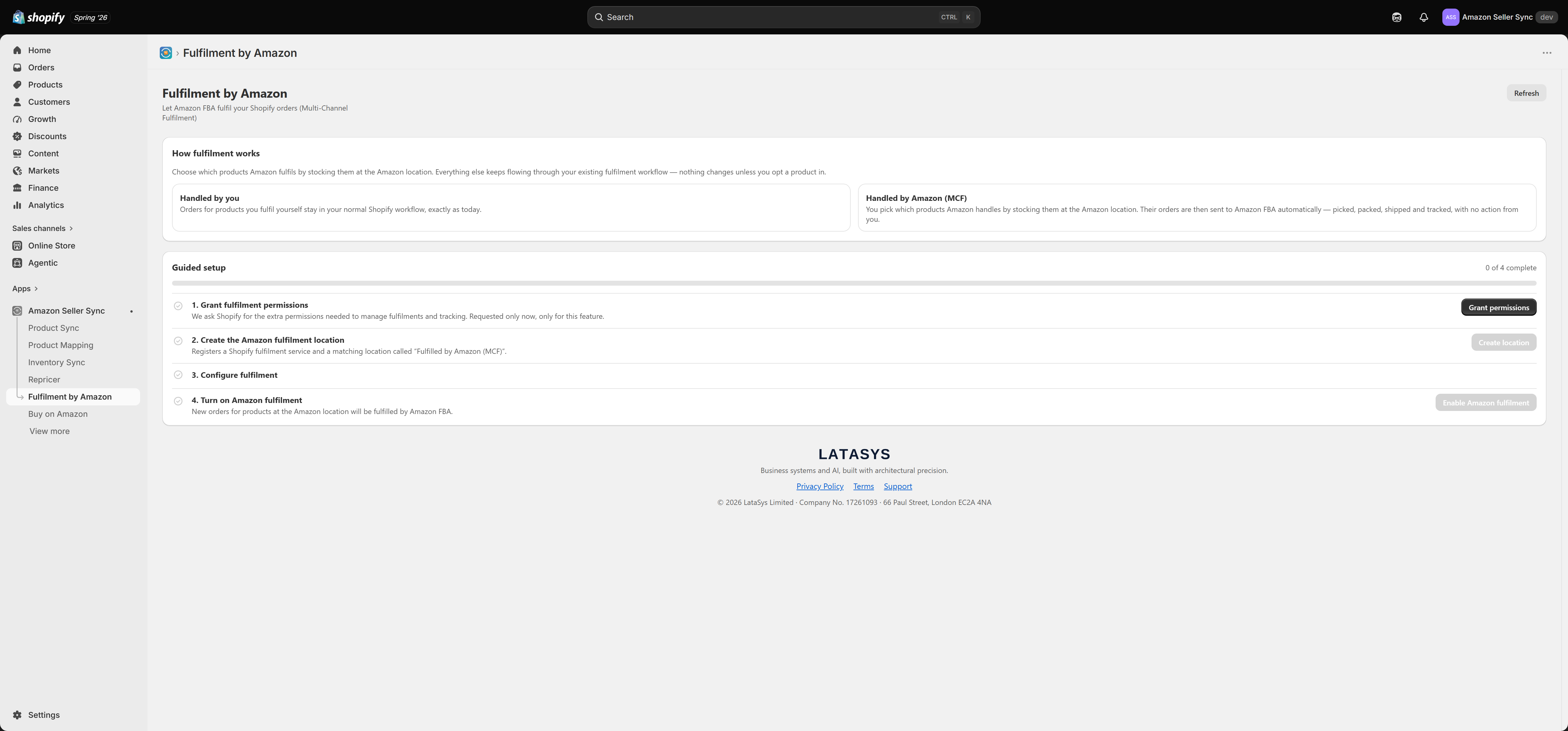
How fulfilment works
You opt products in by stocking them at a dedicated Amazon location the app creates. From then on:
- Handled by you — orders for products you fulfil yourself stay in your normal Shopify workflow, exactly as today.
- Handled by Amazon (MCF) — orders for products stocked at the Amazon location are sent to Amazon FBA automatically. Amazon picks, packs, ships, and provides tracking, which the app writes back to the Shopify order.
Nothing changes for a product unless you opt it in, so you can start with a single product and expand.
Guided setup
The page walks you through four steps and marks each done as you complete it:
- Grant fulfilment permissions — the app asks Shopify for the extra order and fulfilment permissions this feature needs. These are requested only now, and only for this feature.
- Create the Amazon fulfilment location — the app registers a Shopify fulfilment service and a matching location called "Fulfilled by Amazon (MCF)". Stock the products you want Amazon to fulfil at this location.
- Configure fulfilment — choose your packaging and shipping speed, whether to sync inventory, and your fallback behaviour.
- Turn on Amazon fulfilment — new orders for products at the Amazon location are fulfilled by Amazon FBA from then on.
Multi-market routing and fallback
For sellers with more than one Amazon account or marketplace, the app routes each order to the right Amazon account for fulfilment. If Amazon cannot fulfil an order (for example the item is out of stock at FBA), the auto-reassign fallback moves the order to a Shopify location you nominate, so it does not get stuck.
Returns and reimbursements
The app tracks returns against MCF orders and surfaces an approximate view of FBA reimbursements, so you can keep an eye on what Amazon has refunded or reimbursed without digging through Seller Central.
Because this feature acts on orders, it requires extra Shopify permissions that the base app does not request. You grant them in step 1, and only if you choose to use Fulfilment by Amazon.