Home dashboard
The Home page is the first screen you see when you open Amazon Seller Sync. It is your at-a-glance health check: where you are in setup, how your Amazon listings are performing, and whether anything needs attention.
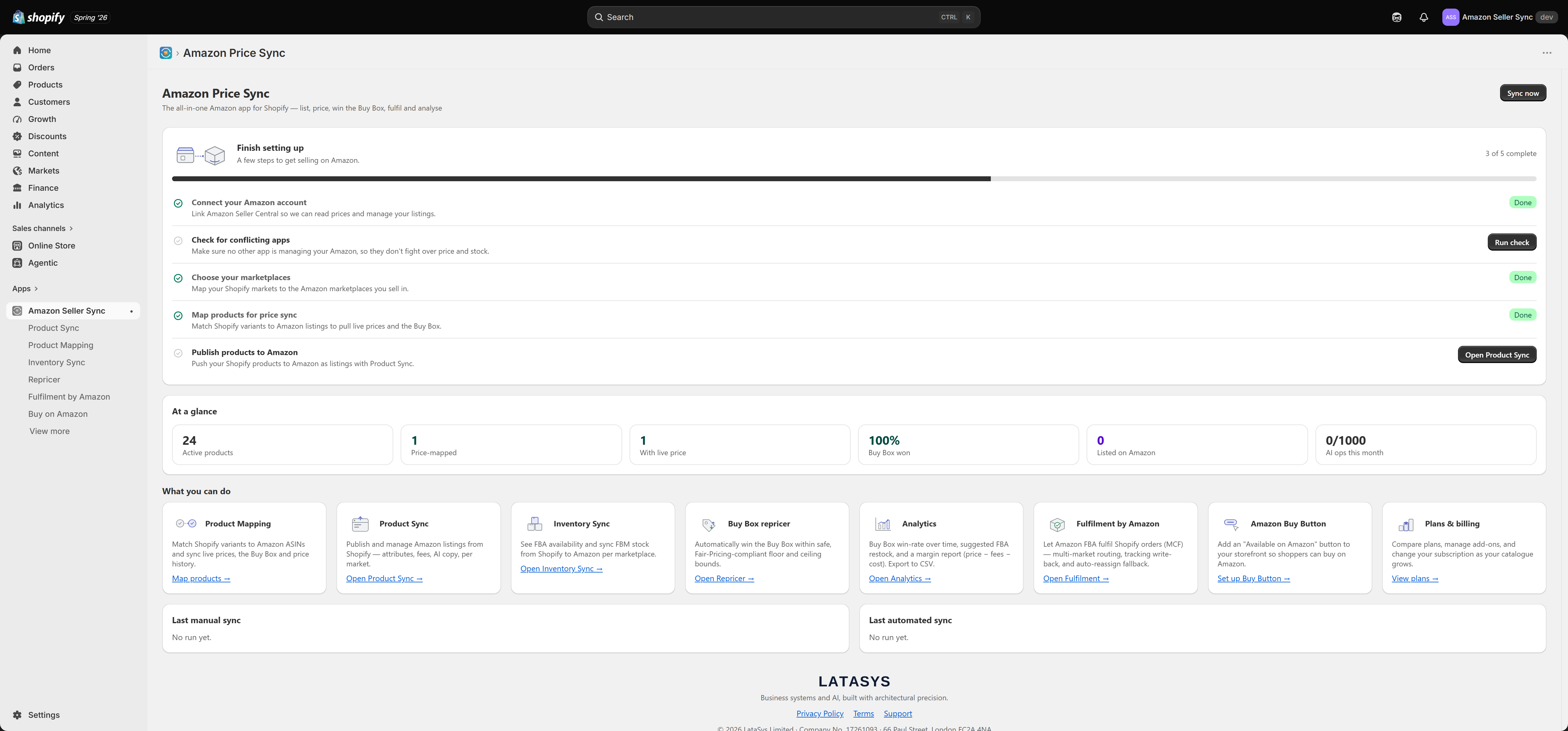
Finish setting up
The card at the top is your setup checklist. It shows how many of the five steps are complete and highlights what to do next. Each step has a button that takes you straight to the right place:
- Connect your Amazon account — link Amazon Seller Central.
- Check for conflicting apps — make sure no other app is fighting over your Amazon price and stock.
- Choose your marketplaces — map your Shopify markets to Amazon marketplaces.
- Map products for price sync — link variants to Amazon listings.
- Publish products to Amazon — create listings with Product Sync.
Once all five are done you can dismiss the card with the hide link. It stays hidden after that.
At a glance
A row of stat tiles gives you the key numbers, refreshed each time you open the page:
- Active products — how many active Shopify products the app can see.
- Price-mapped — variants linked to an Amazon ASIN.
- With live price — mapped variants currently returning an Amazon price.
- Buy Box won — your Buy Box win rate across mapped variants.
- Listed on Amazon — products you have published with Product Sync.
- AI ops this month — how much of your monthly AI allowance you have used.
Sync health
The Sync health view lists any listings that need attention — for example a listing Amazon flagged with an issue, or one that needs re-pushing. Each row has quick actions to re-check its status, re-push it, or open the product to fix it. When everything is healthy, the card shows an all-clear.
Connect Amazon Seller Central
If you have not connected Amazon yet, the connect card lets you choose your region and authorise an account. You can connect several accounts here if your plan allows more than one. See Getting started.
What you can do
Below the stats is a set of feature cards — Product Mapping, Product Sync, Inventory Sync, Buy Box repricer, Analytics, Fulfilment by Amazon, Amazon Buy Button, and Plans and billing. Each card summarises the feature and links straight to it. This is also where you reach the Buy Button and Plans pages, which are not in the left navigation.
Sync now
The Sync now button in the page header runs a manual price sync across your mapped variants, so you can refresh live Amazon prices and the Buy Box on demand rather than waiting for the next scheduled run.